 Pocket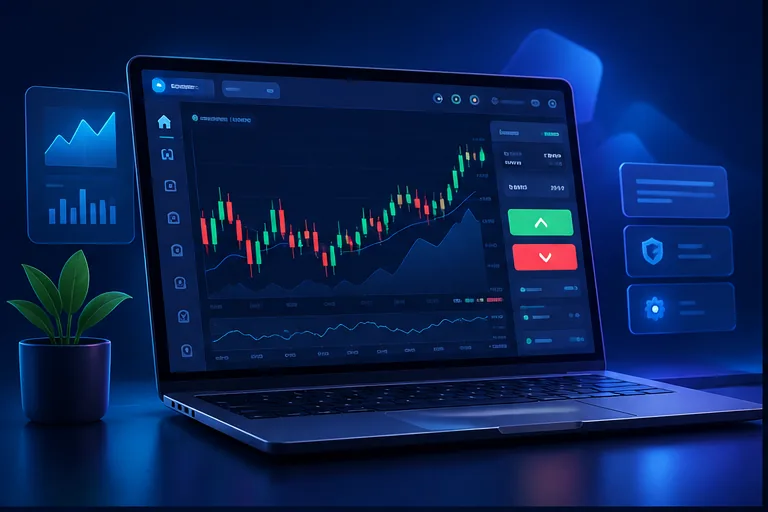
Original explanatory artwork for trading dashboard illustration with chart and control panel; it is not presented as official performance, authorization or availability evidence.
Start with the visual overview, then read the page heading and detailed evidence below. This layout keeps the first screen useful without pushing the main topic out of the document structure.
Searches for Pocket Option features often focus on the app, trading dashboard, charts, demo mode, copy trading, market assets and convenience tools. These are useful subjects to understand, but feature lists can distract from the most important U.S.-specific question: whether the provider currently serves residents of the United States. Pocket Option’s published English public offer currently lists the United States among restricted countries, and its current risk language also states that services are not provided to U.S. residents. This page therefore describes features as product concepts and interface elements rather than as an invitation to use the live service from the U.S.
A feature-by-feature explanation is also useful when comparing financial platforms. Readers can ask what the chart actually shows, whether a demo is separated from a live account, how market data is presented, whether the app is simply a mobile view of the website, how order timing is explained, and what risk information is shown before a trade. Those questions create a more useful review than simply listing colorful buttons. Because online financial services change frequently, current availability, terms, product specifications and legal status should always be checked with primary sources immediately before any action.
Charts are one of the most visible parts of a trading platform, but visibility should not be confused with evidence. A chart can display historical or live-looking price information while leaving open questions about the source of the quotation, timing rules, contract structure and settlement. Readers reviewing Pocket Option features should ask what a chart represents, whether the instrument is live-market or OTC, which timeframes are available, and which terms define the actual contract. Indicators can organize historical information, but they do not guarantee the next price direction. The same research discipline applies to asset selectors, expiry controls, order panels and payout displays: understand the function, then verify the underlying terms. For U.S. readers, feature research should remain separate from availability research because a polished interface does not override the provider's published country restrictions.
Original visual guides are used to make the site easier to scan on desktop and mobile. The illustrations are explanatory and are not screenshots of official Pocket Option records.
Original explanatory artwork for trading dashboard illustration with chart and control panel; it is not presented as official performance, authorization or availability evidence.
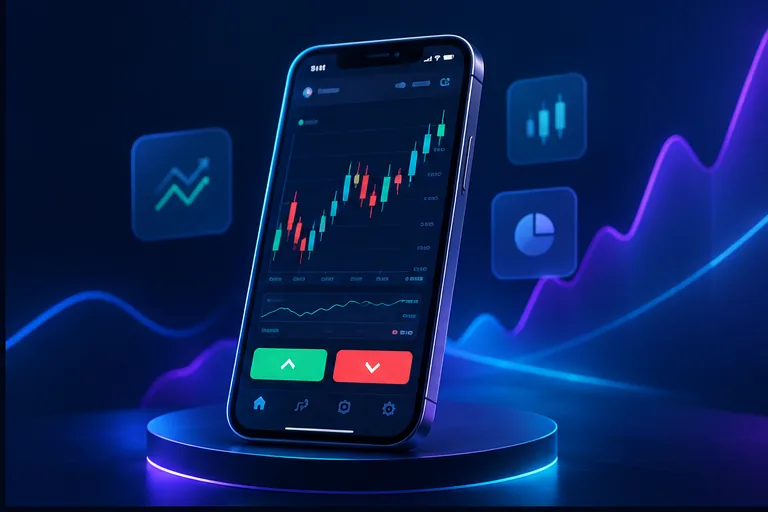
Original explanatory artwork for mobile phone trading illustration; it is not presented as official performance, authorization or availability evidence.

Original explanatory artwork for currency and market asset illustration; it is not presented as official performance, authorization or availability evidence.
A useful feature review can follow a short verification sequence. First, identify whether the feature belongs to the web interface, mobile application, demo environment or live-account workflow. Second, check the provider's own documentation for the feature's current description and limitations. Third, determine whether the feature changes the nature of the contract or only changes how information is displayed. Fourth, read the risk language that applies to the feature rather than assuming that convenience reduces financial risk. Finally, record the date of the source because platform features can change without older screenshots being updated. This approach is more reliable than treating a feature list as a recommendation, and it helps U.S. readers keep software questions separate from the more fundamental issue of whether the service is currently available to them.
Features describe what an interface can display or how a workflow may operate; they do not by themselves establish authorization, suitability, profitability or consumer protection. A careful reader should separate product functionality from legal status, compare descriptions with primary documentation, and avoid interpreting a polished interface or mobile app as proof that a service is available in every jurisdiction. This distinction also helps prevent old screenshots, demonstrations or promotional videos from being treated as current evidence about account eligibility or regulatory status.
Charts are visual tools that show price movement, time windows and sometimes indicators. They can help readers learn market vocabulary, but they are not forecasts. A useful feature guide explains what a chart displays, how timeframes change the visual interpretation, and why historical movement cannot guarantee future outcomes. In a U.S. context, the presence of a polished chart also should not be confused with regulatory approval or legal availability. The interface explains software functionality; official terms and regulator information address eligibility and oversight.
Chart design, mobile convenience and feature count are descriptive product characteristics; they are not evidence of profitability or suitability.
A demo can help someone learn navigation, terminology and order-screen structure without immediately connecting the exercise to real-money decisions. That makes it useful for education, but it should not be marketed as proof of profits, suitability or live-market availability. For U.S. visitors, the key point remains that a demo interface can be viewed as an educational reference while the provider’s live-service restriction remains separately documented in the official public offer.
A feature table is most useful when it explains what each function does, what source describes it, and which limitation should be kept in mind. For example, a chart can be described in terms of timeframes and indicators; a mobile interface can be described in terms of navigation and readability; a demo can be described in terms of educational value and limits. This format gives the reader concrete information without claiming that one feature makes the platform better or safer overall.
Account-protection checks should include credentials, document handling, login notifications and the authenticity of support channels.
Copy trading, signals or automated tools can look simple because the interface hides much of the underlying decision process. A reader should ask what is being copied, how sizing is calculated, what happens when conditions change, and whether the feature is available under the current account terms. Historical performance or a leaderboard is not a guarantee of future results. The safest educational approach is to treat these tools as mechanisms that require independent understanding rather than as shortcuts around risk.
Educational coverage should remain descriptive. A feature can be explained without presenting it as a shortcut to better performance. This distinction matters because automation may change how quickly an action occurs while leaving the underlying outcome uncertain. A responsible guide therefore focuses on mechanics, limitations, and verification rather than promises about success.
When reviewing any charting interface, note the available timeframes, price display, historical view, asset selector, and order-entry controls. Then ask whether the accompanying documentation explains how those components relate to the actual product. This turns a feature list into a practical understanding of the interface.
Use official download sources, keep the operating system updated, lock the device, avoid entering financial credentials on shared devices, and inspect the website address before logging in. Never install an app sent through an unsolicited message or transfer money because an unknown person promises faster withdrawals. Good mobile practice reduces security exposure, while official eligibility and regulatory checks address a different risk. Both should be considered independently when researching an online financial service.
Before relying on a chart, verify the underlying asset, timestamp, market session, price source, payout rules and whether the displayed instrument is a live market product or an OTC instrument. Small changes in the interface can materially change what a user thinks the chart represents. Readers should also be cautious about screenshots posted online because they may show an older version of the platform or a different account type. For educational purposes, the most reliable approach is to compare the screen with the current official help and asset documentation.
A demo feature can help a new reader learn the vocabulary of charts, order types, expiry concepts, or interface controls without immediately exposing personal funds. The educational value is strongest when the learner records what each control does and compares the interface with the written documentation. A practice environment should not be used to infer that the same result will occur under live conditions, because the financial and emotional context is different.
A mobile interface can make an account easier to monitor, but convenience is not the same as suitability. On a small screen, warnings, fees, timing information and confirmation messages may be easier to overlook. A careful feature guide therefore discusses mobile security, domain verification, device updates and the importance of reading confirmation details before any transaction. For U.S. readers, mobile access does not remove the need to verify jurisdictional availability; an accessible app or website is not proof that a provider accepts residents in the United States.
A mobile app is best evaluated as a software interface first. Installation, login screens and chart tools can demonstrate how a product is designed, but they do not determine whether a person is permitted to use the underlying financial service. For a U.S. reader, the geographic and regulatory questions should therefore be checked separately from technical convenience, device compatibility and app-store availability. The same principle applies to a browser-based terminal: a working interface is not the same thing as current contractual eligibility.
Educational tools can include tutorials, terminology guides, charts, practice screens, and explanations of market instruments. Their value depends on whether they improve the reader's understanding of the product rather than simply encouraging activity. A strong learning path begins with terminology, then moves to interface navigation, product mechanics, risk, and source verification. Only after those ideas are clear should a reader consider the limitations of any live financial application.
Real-time notifications can be useful for keeping track of account activity, but excessive alerts can also make a user less attentive to the information that matters most. Readers should distinguish security alerts, account-status messages, transaction confirmations, and marketing notifications. Security messages deserve priority because they may signal a change to the account, while marketing notifications should not be confused with evidence about product suitability or performance.
Mobile design is useful when a reader wants to review information on a smaller screen, but a mobile-first interface also creates additional security and usability questions. Check whether the application comes from an official source, whether permissions are reasonable, whether the account session is protected, and whether important disclosures remain readable on a phone. Do not assume that an icon in an app store or a familiar brand name proves that the download is authentic.
When a software feature changes, capture the current name, purpose, location, and official explanation. Note whether the change affects all users or only a particular account type or region. Then review the site pages that mention the old behavior. A simple feature-change log prevents outdated screenshots from quietly becoming current instructions. This is especially important for mobile applications and account-security controls, where interface changes can be frequent.